Manual Build
This page will give a rough outline on the steps to create a faircamp archive. For a full tutorial/explanation, see the video tutorial series or the official faircamp manual or learn more on the website
1. Install Faircamp
Video: Full tutorial series, Watch the playlist below for step-by-step install and setup. Pick the video for your operating system.
Install by operating system (video):
You can also install from the faircamp website and follow the written instructions there. For customization options, see the official faircamp manual.
2. What you'll have: your built archive
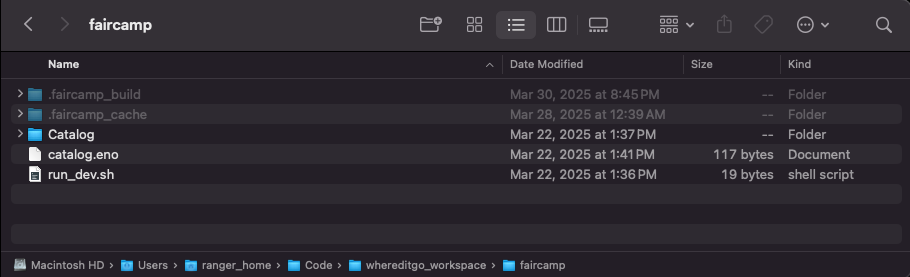
The videos in step 1 cover both installing Faircamp and building your archive from start to finish. When you're done, you'll have a .faircamp_build folder. It will be in the outermost folder of your project (the same folder where you put your music and ran Faircamp).
.faircamp_build folderWindows Users: enable hidden files
Mac Users: in Finder, press shift + ⌘ + .
The contents of the .faircamp_build folder will look something like this
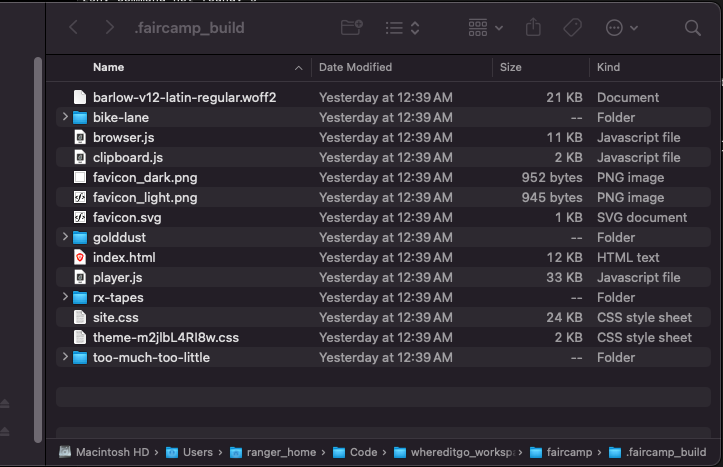
.faircamp_build For questions or additional help, email nexus@whereditgo.diamonds
3. Host your faircamp archive
There are a lot of options for hosting a faircamp archive. If you do not have any experience doing this, do not worry. It may seem challenging, but the rest of the documentation will outline several ways to accomplish this with ease